
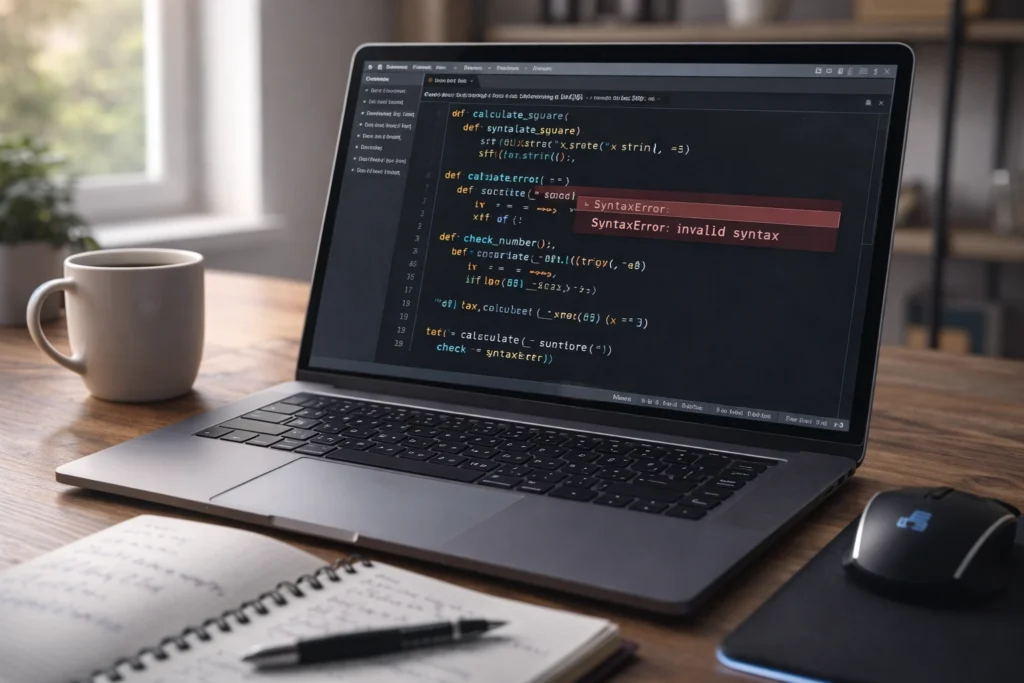
Invalid syntax in Python means that the code you wrote does not follow Python’s grammatical rules, so the interpreter cannot understand or execute it. It usually appears as
SyntaxError: invalid syntaxand points to the line where Python detected the issue.
If you have just started learning Python and suddenly see a red error message saying SyntaxError: invalid syntax, you are not alone. This is one of the most common errors beginners and even experienced programmers face. It can feel confusing at first, especially when the code looks perfectly fine to you.
Now let us explore this in depth so you can understand not just what it means, but why it happens and how to fix it confidently.
Understanding Syntax in Python
Before we go deeper, we need to understand what syntax actually means.
In programming, syntax refers to the set of rules that define how code must be written. Just like English has grammar rules, Python has its own structure and formatting rules.
For example:
print("Hello World")
This is correct syntax.
But if you write:
print("Hello World"
You forgot the closing parenthesis. Python cannot understand the instruction fully. So it throws:
SyntaxError: invalid syntax
Python is strict about structure. Even a small mistake like a missing colon or bracket can trigger this error.
What Does Invalid Syntax Mean in Python in Simple Words?
Think of Python like a very literal reader. If you miss a comma, colon, bracket, or keyword, it simply refuses to continue.
Invalid syntax means:
• The structure of your code is incorrect
• Python cannot parse the instruction
• There is a violation of Python’s grammar rules
It does not always mean your logic is wrong. It only means your code format is wrong.
Origin and Background of the SyntaxError in Python
Python was created by Guido van Rossum in 1991. One of his main goals was to make programming simple and readable.
Because of that, Python enforces clean and clear syntax rules. The Python interpreter checks every line before running it. If it finds something that breaks the grammar rules, it stops immediately and shows a SyntaxError.
Over time, as Python became popular in:
• Web development
• Data science
• Artificial intelligence
• Automation
• Machine learning
The “invalid syntax” error became one of the most searched beginner errors worldwide.
Today, it is one of the most common beginner issues in Python programming courses and coding forums.
Why Is Invalid Syntax So Common?
Here are the main reasons this error appears so often:
- Beginners are still learning Python grammar
- Small typing mistakes are easy to make
- Indentation rules in Python are strict
- Missing punctuation like colons or parentheses
- Using Python 2 code in Python 3
Even professionals encounter it when writing code quickly.
Common Causes of Invalid Syntax in Python
Let us look at the most common situations that trigger this error.
1. Missing Colon After Statements
Incorrect:
if x > 5
    print("Greater")
Correct:
if x > 5:
    print("Greater")
Python requires a colon after if, for, while, def, and class.
2. Incorrect Indentation
Incorrect:
if x > 5:
print("Greater")
Correct:
if x > 5:
    print("Greater")
Python uses indentation instead of braces. If indentation is wrong, you get an error.
3. Misspelled Keywords
Incorrect:
pritn("Hello")
Correct:
print("Hello")
4. Unmatched Parentheses or Quotes
Incorrect:
print("Hello)
Correct:
print("Hello")
5. Using Reserved Keywords as Variables
Incorrect:
class = 10
Correct:
my_class = 10
Table 1: Common Invalid Syntax Errors and Fixes
| Error Type | Example (Wrong) | Why It Happens | Correct Version |
|---|---|---|---|
| Missing colon | if x > 5 | Colon required after condition | if x > 5: |
| Indentation error | if x > 5: print(x) | Improper block structure | Proper indentation |
| Misspelled keyword | pritn(“Hi”) | Python cannot recognize command | print(“Hi”) |
| Unclosed bracket | print(“Hi” | Missing closing parenthesis | print(“Hi”) |
| Reserved word misuse | for = 5 | Reserved keyword used incorrectly | my_for = 5 |
How Python Shows the Invalid Syntax Error
When Python detects invalid syntax, it usually displays:
File "script.py", line 4
    if x > 5
           ^
SyntaxError: invalid syntax
Notice the caret symbol pointing at a location. However, the actual mistake may be slightly before that point.
Friendly vs Frustrated Context Examples
Sometimes beginners feel stressed when seeing this error.
Friendly reaction
“Oh, I probably missed a bracket. Let me check again 🙂”
Neutral reaction
“There is a syntax error. I will debug the line carefully.”
Frustrated reaction
“Why is Python not working? This makes no sense!”
The key is patience. Syntax errors are usually small and easy to fix.
Table 2: SyntaxError vs Other Python Errors
| Error Type | When It Occurs | Example Message | Meaning |
|---|---|---|---|
| SyntaxError | Before code runs | invalid syntax | Code grammar is wrong |
| IndentationError | Before execution | unexpected indent | Indentation rule broken |
| NameError | During execution | name not defined | Variable not declared |
| TypeError | During execution | unsupported operand type | Wrong data type used |
| ValueError | During execution | invalid literal | Wrong value format |
Notice that SyntaxError happens before the program even starts running.
Comparison With Related Terms
Invalid Syntax vs IndentationError
Invalid syntax is general grammar violation.
IndentationError is specific to spacing problems.
Invalid Syntax vs Logical Error
Logical error means code runs but gives wrong result.
Invalid syntax means code cannot run at all.
Invalid Syntax vs Runtime Error
Runtime error happens while program is executing.
Invalid syntax happens before execution.
Alternate Meanings of Invalid Syntax
Outside Python, the phrase invalid syntax can also appear in:
• SQL databases
• JavaScript errors
• Command line tools
• Compilers in languages like C++
But the meaning remains similar. The structure of the code is incorrect.
Real World Usage and Popularity
Search trends show that “what does invalid syntax mean in python” is one of the most searched beginner programming questions.
It is commonly seen in:
• Online coding platforms
• University programming classes
• Coding bootcamps
• YouTube tutorials
• Stack Overflow discussions
Because Python is widely used in AI, automation, and data science, millions of new learners encounter this error every year.
How to Fix Invalid Syntax in Python
Here are practical debugging tips:
- Carefully read the error message
- Check the line above the highlighted line
- Look for missing punctuation
- Check indentation
- Make sure quotes are closed
- Ensure keywords are spelled correctly
- Run small parts of the code
Table 3: Quick Debugging Checklist
| Step | What to Check | Why It Helps |
|---|---|---|
| Step 1 | Colons after if, for, while | Most common beginner mistake |
| Step 2 | Matching brackets | Prevents parsing errors |
| Step 3 | Indentation consistency | Python relies on spacing |
| Step 4 | Keyword spelling | Python is case sensitive |
| Step 5 | Quotes closed properly | Avoids string parsing errors |
Professional Alternatives in Communication
If explaining this error in professional communication, you might say:
Instead of
“There is invalid syntax in your code.”
You can say
“The code contains a syntax error that prevents execution.”
Or
“There appears to be a formatting issue in the script.”
This sounds clearer and more professional.
FAQs
What does invalid syntax mean in Python for beginners?
It means your code does not follow Python’s grammar rules. Python cannot understand the instruction, so it stops running the program.
Why do I keep getting invalid syntax in Python?
Most commonly due to missing colons, incorrect indentation, unmatched brackets, or spelling mistakes in keywords.
How do I fix SyntaxError invalid syntax?
Read the error message carefully, check punctuation, verify indentation, and make sure all parentheses and quotes are properly closed.
Can invalid syntax be caused by version differences?
Yes. Some code written for Python 2 may cause syntax errors in Python 3.
Is invalid syntax the same as runtime error?
No. Syntax errors happen before execution. Runtime errors happen while the program is running.
Does invalid syntax mean my logic is wrong?
Not necessarily. It usually means formatting or structure is wrong, not your problem solving logic.
Why does Python highlight the wrong line sometimes?
Python points to where it detects the issue, but the actual mistake may be slightly earlier in the code.
Can professionals still get invalid syntax errors?
Absolutely. Even experienced developers occasionally make typing mistakes.
Conclusion
It simply means your code breaks Python’s grammar rules, and the interpreter cannot understand it. It is one of the most common beginner errors, but also one of the easiest to fix once you know what to look for.
Remember:
• Syntax errors stop execution immediately
• They are usually small formatting mistakes
• Careful reading solves most issues
• Even professionals encounter them
Instead of feeling frustrated, treat it as a learning opportunity. Every syntax error teaches you something new about Python’s structure.
With practice, you will start spotting these issues instantly and fixing them confidently.
Read More Related Articles:
- Hybrid Mean in School: Flexible Future of Learning In 2026
- OTR Meaning in Texting: How Context Changes Its Tone (2026)
- -7 Mean in Betting: What Bettors Should Know In 2026

Rachel Monroe is a digital content writer at Meanzy.com who focuses on explaining modern words, phrases, and online expressions. Her writing style is simple, practical, and reader-focused, helping users quickly understand the meaning and usage of today’s evolving language.