
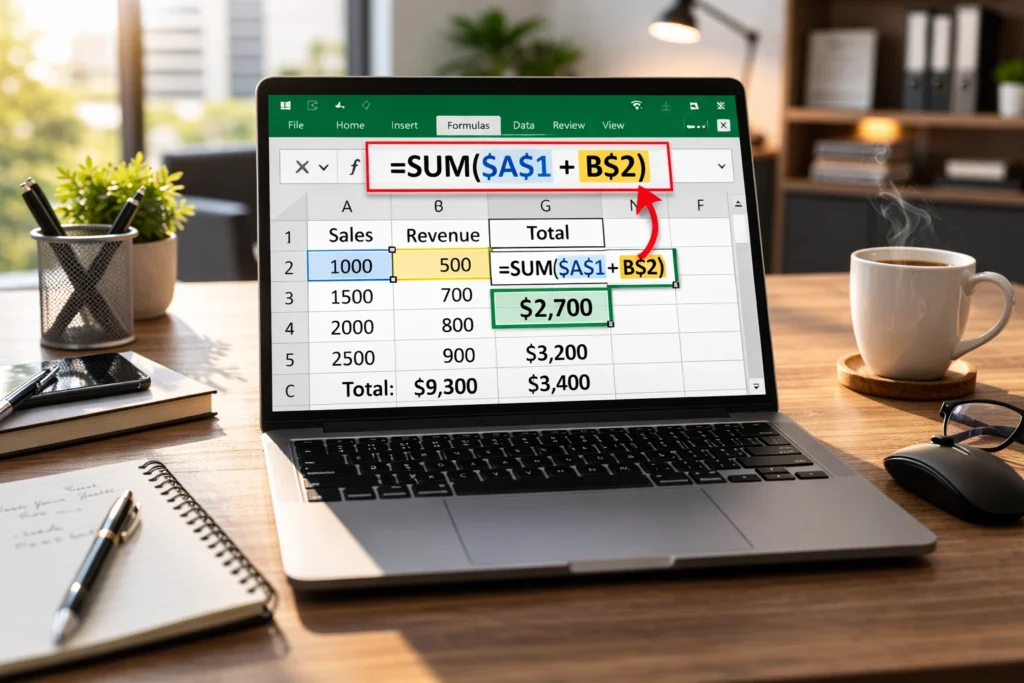
In Excel, the dollar sign ($) is used to create an absolute cell reference.
It locks either the column, the row, or both, so that the reference does not change when the formula is copied to another cell.
If you have ever typed a formula in Excel and noticed dollar signs appearing in cell references like $A$1, you might have wondered what they actually mean. Are they about money? Formatting? Something technical?
That is it in one line. But understanding how and when to use it can completely change how efficiently you work in Excel.
In this detailed guide, we will break down what the dollar sign means in Excel, where it came from, how it works, real life examples, comparison tables, alternate meanings, FAQs, and practical tips you can use right away.
Understanding Cell References in Excel
Before we dive deeper, you need to understand one core idea in Excel.
When you write a formula like:
=A1+B1
Excel uses something called a cell reference. A1 and B1 tell Excel which cells to use in the calculation.
By default, Excel uses relative references. That means when you copy the formula down, the references change automatically.
For example:
| Cell | Formula | Result Logic |
|---|---|---|
| C1 | =A1+B1 | Adds row 1 |
| C2 | =A1+B1 | If copied down becomes =A2+B2 |
This automatic adjustment is helpful most of the time. But sometimes you do not want the reference to change.
That is where the dollar sign comes in.
Origin of the Dollar Sign in Excel
The dollar sign itself did not originate in Excel. It has long been used as the symbol for currency, especially in the United States.
However, in Microsoft Excel, created by Microsoft, the dollar sign was adopted as a simple visual marker to indicate a locked reference.
Excel was first released in 1985 and became widely popular in business, accounting, finance, and data management. As spreadsheets grew more complex, users needed a way to fix certain references while allowing others to move dynamically.
The $ symbol was chosen because:
- It is easy to type
- It stands out clearly in formulas
- It does not interfere with letters or numbers
- It is visually small but meaningful
Today, it is one of the most important symbols in Excel formulas.
What Does the Dollar Sign Actually Do?
In Excel, the dollar sign can lock:
- The column
- The row
- Both the column and the row
There are three main types of references.
1. Relative Reference
Example: A1
Nothing is locked. Both row and column change when copied.
2. Absolute Reference
Example: $A$1
Both column and row are locked. They will never change when copied.
3. Mixed Reference
Example: $A1 or A$1
Only one part is locked.
Here is a clear comparison.
Table 1: Types of Cell References in Excel
| Reference Type | Example | Column Locked | Row Locked | Changes When Copied? |
|---|---|---|---|---|
| Relative | A1 | No | No | Yes |
| Absolute | $A$1 | Yes | Yes | No |
| Mixed | $A1 | Yes | No | Row changes |
| Mixed | A$1 | No | Yes | Column changes |
This is the core meaning of the dollar sign in Excel.
Real World Usage of Dollar Sign in Excel
Now let us make this practical.
Imagine you are calculating sales tax.
You have:
- Product prices in column A
- Tax rate in cell B1
Example:
| A (Price) | B (Tax Rate) |
|---|---|
| 100 | 10% |
| 200 | |
| 300 |
In cell C1, you write:
=A1*B1
Now you copy this formula down.
What happens?
Excel changes it to:
=A2*B2
=A3*B3
But B2 and B3 are empty. That breaks your calculation.
Instead, you should write:
=A1*$B$1
Now when you copy down, Excel keeps B1 fixed.
This is the most common real life use of the dollar sign in Excel.
Example Scenarios With Context
Let us look at friendly, neutral, and slightly frustrating contexts where the dollar sign matters.
Friendly Example 😊
You are creating a monthly budget sheet. You want to multiply each expense by a fixed savings percentage stored in one cell.
Using $D$1 keeps your savings rate constant. Everything works smoothly. No errors. Life feels organized.
Neutral Professional Example
In a business financial report, the corporate tax rate is stored in one cell. All profit calculations must reference that exact cell.
Using absolute references ensures compliance and accuracy in large datasets.
Frustrating Example 😩
You copy a formula down 500 rows and suddenly your totals are wrong.
After checking, you realize you forgot to lock the reference with a dollar sign. The formula shifted and referenced the wrong cell.
This is one of the most common beginner mistakes in Excel.
How to Add the Dollar Sign Quickly
You do not need to type it manually every time.
When editing a formula:
- Click on the cell reference
- Press F4 on your keyboard
Excel will cycle through:
- A1
- $A$1
- A$1
- $A1
This shortcut saves a lot of time.
Comparison With Related Excel Symbols
Many people confuse the dollar sign with other Excel symbols.
Let us compare.
Table 2: Dollar Sign vs Other Excel Symbols
| Symbol | Meaning in Excel | Example | Purpose |
|---|---|---|---|
| $ | Locks row or column | $A$1 | Absolute reference |
| % | Percentage formatting | 10% | Converts value to percent |
| : | Range operator | A1:A10 | Selects range |
| , | Separator | SUM(A1,A2) | Separates arguments |
| @ | Implicit intersection | @A:A | Used in newer Excel versions |
The dollar sign has nothing to do with currency formatting inside formulas. That is handled through formatting options.
Alternate Meanings of the Dollar Sign in Excel
Although primarily used for absolute references, the dollar sign can also appear in other contexts.
1. Currency Formatting
If you format a cell as currency, Excel may show:
$100
$250
This does not affect formulas. It is just visual formatting.
2. In Named Ranges
Sometimes you will see formulas like:
=Sheet1!$A$1
Here, the dollar sign still means the reference is locked.
Advanced Example With Multiple Locked References
Let us say you are building a commission calculator.
You have:
- Salesperson names in column A
- Sales amounts in column B
- Commission rate in cell E1
- Bonus threshold in cell E2
You want to calculate:
Sales × Commission rate
Plus bonus if sales exceed threshold
Your formula might look like:
=B2*$E$1 + IF(B2>$E$2,500,0)
Here:
$E$1stays fixed$E$2stays fixed- B2 changes as you copy down
Table 3: Example Formula Breakdown
| Part of Formula | Meaning | Why Dollar Sign Is Used |
|---|---|---|
| B2 | Sales amount | Changes per row |
| $E$1 | Commission rate | Must stay constant |
| $E$2 | Bonus threshold | Must stay constant |
| IF function | Conditional logic | Applies rule |
Without dollar signs, the formula would break when copied.
Why the Dollar Sign Is So Popular in Excel
The dollar sign is popular because:
- It prevents errors
- It improves formula accuracy
- It allows scalable spreadsheets
- It is essential in financial modeling
- It is required in advanced Excel tasks like VLOOKUP, INDEX MATCH, and pivot calculations
Anyone working in accounting, data analysis, finance, marketing analytics, or operations uses absolute references regularly.
It is not just a beginner feature. It is a professional necessity.
Usage Tips for Beginners
If you are just starting out, follow these tips:
- If a value should stay fixed, lock it.
- If you are copying formulas across many rows, double check references.
- Use F4 to cycle reference types.
- Test your formula by copying it once before dragging it 1000 rows.
- Learn mixed references for more complex tables.
For example, in multiplication tables, mixed references like $A1 are extremely useful.
Common Mistakes People Make
- Forgetting to lock tax rates
- Locking the wrong part of the reference
- Confusing currency formatting with absolute reference
- Not understanding why formulas change after copying
Understanding the dollar sign eliminates these problems.
FAQs
What does $A$1 mean in Excel?
It means both the column A and row 1 are locked. The reference will not change when the formula is copied to another cell.
What is the difference between A1 and $A$1 in Excel?
A1 is a relative reference and changes when copied. $A$1 is an absolute reference and stays fixed.
What does $A1 mean in Excel?
The column A is locked, but the row can change when copied down.
What does A$1 mean in Excel?
The row 1 is locked, but the column can change when copied across.
Why is Excel automatically adding dollar signs?
Excel may add them when you use structured references, named ranges, or press F4 while editing a formula.
Does the dollar sign mean currency in Excel formulas?
No. In formulas, it means absolute reference. Currency formatting is separate.
How do I remove dollar signs in Excel formulas?
Edit the formula and press F4 until it returns to a relative reference, or manually delete the dollar signs.
When should I use absolute references in Excel?
Use them when referencing fixed values like tax rates, constants, thresholds, lookup tables, or static parameters.
Conclusion
So what does dollar sign mean in Excel?
It means control.
It allows you to lock rows, lock columns, or lock both so that formulas behave exactly the way you want when copied.
Without the dollar sign, Excel formulas can shift and produce incorrect results. With it, your spreadsheets become stable, scalable, and professional.
Quick recap:
- A1 changes
- $A$1 stays fixed
- $A1 locks column
- A$1 locks row
- Press F4 to toggle reference types
Mastering this simple symbol can dramatically improve your Excel skills and confidence.
If you work with financial data, budgeting sheets, tax calculations, commission structures, or large datasets, understanding absolute references is essential.
Now the next time you see a dollar sign in Excel, you will know exactly what it means and why it matters.
Read More Related Articles:
- Odds Mean in Sports Betting: Hidden Language of Sportsbooks In 2026
- Abstract Mean in a Paper: Essential Guide to Writing It Right In 2026
- Dys Mean in Medical Terms: Definition and Complete Guide In 2026

Rachel Monroe is a digital content writer at Meanzy.com who focuses on explaining modern words, phrases, and online expressions. Her writing style is simple, practical, and reader-focused, helping users quickly understand the meaning and usage of today’s evolving language.